PURECONTO APP

Everything you needin your pocket

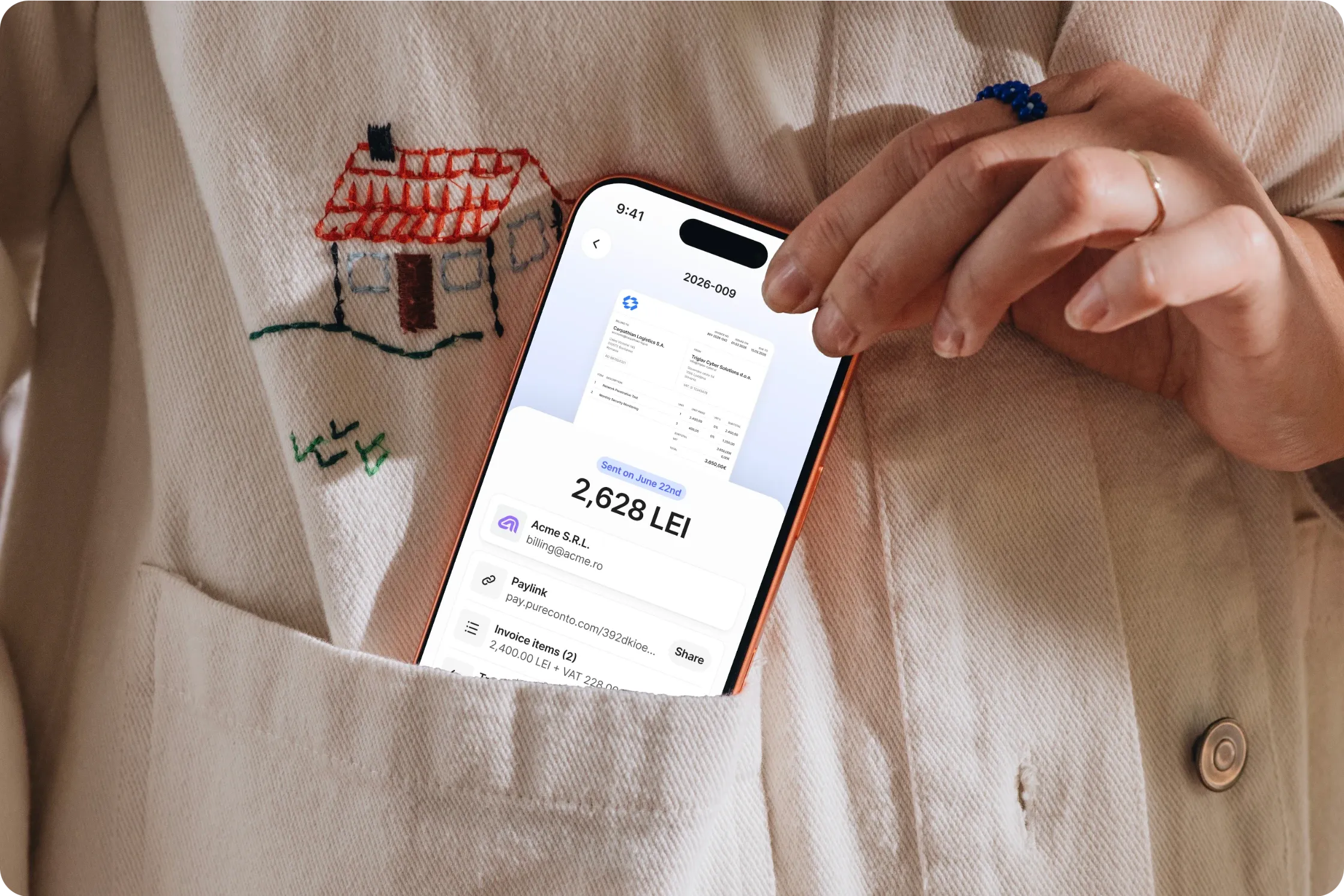
Create professional invoices, give customers an easier way to pay and track every payment directly from your phone. Coming to iOS and Android.

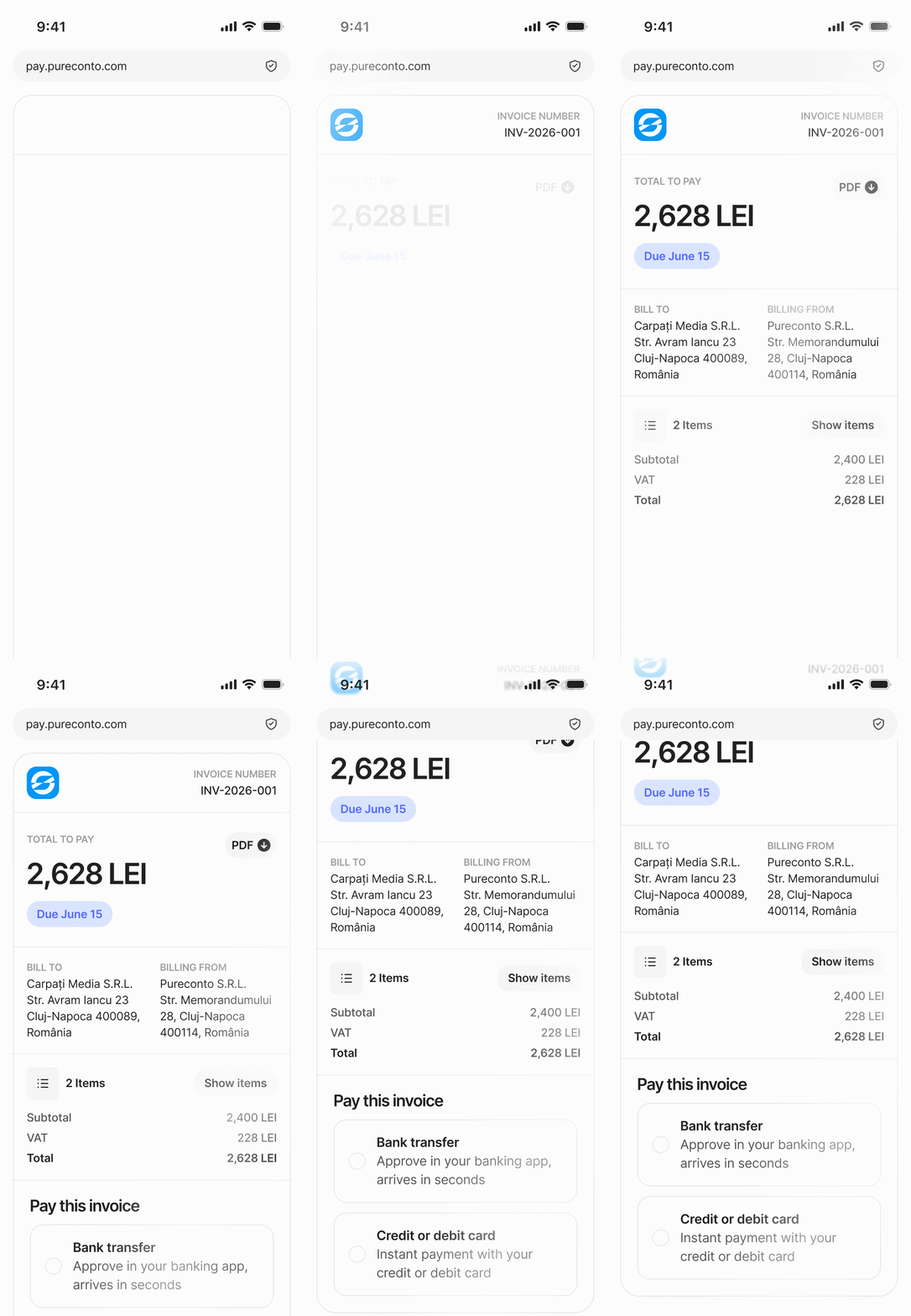
Invoice open in the Pureconto app on a phone

HOW IT WORKS

Create mistake-free invoicesSecond invoice takes thirty seconds

  1. 01

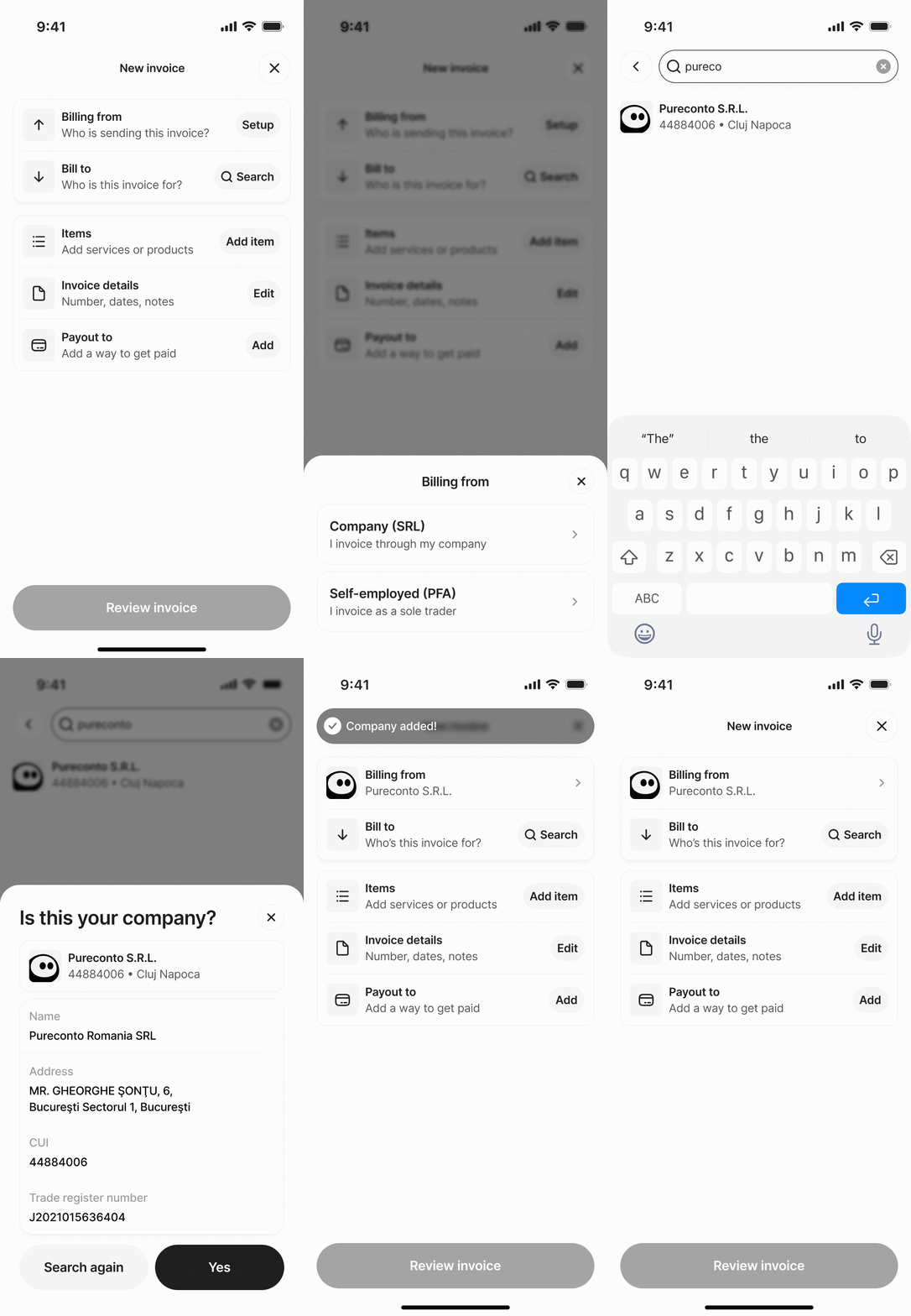
    Add your business details

    Set up your business profile once, auto-fill your legal details, and stay compliant on every invoice you issue.

  2. 02

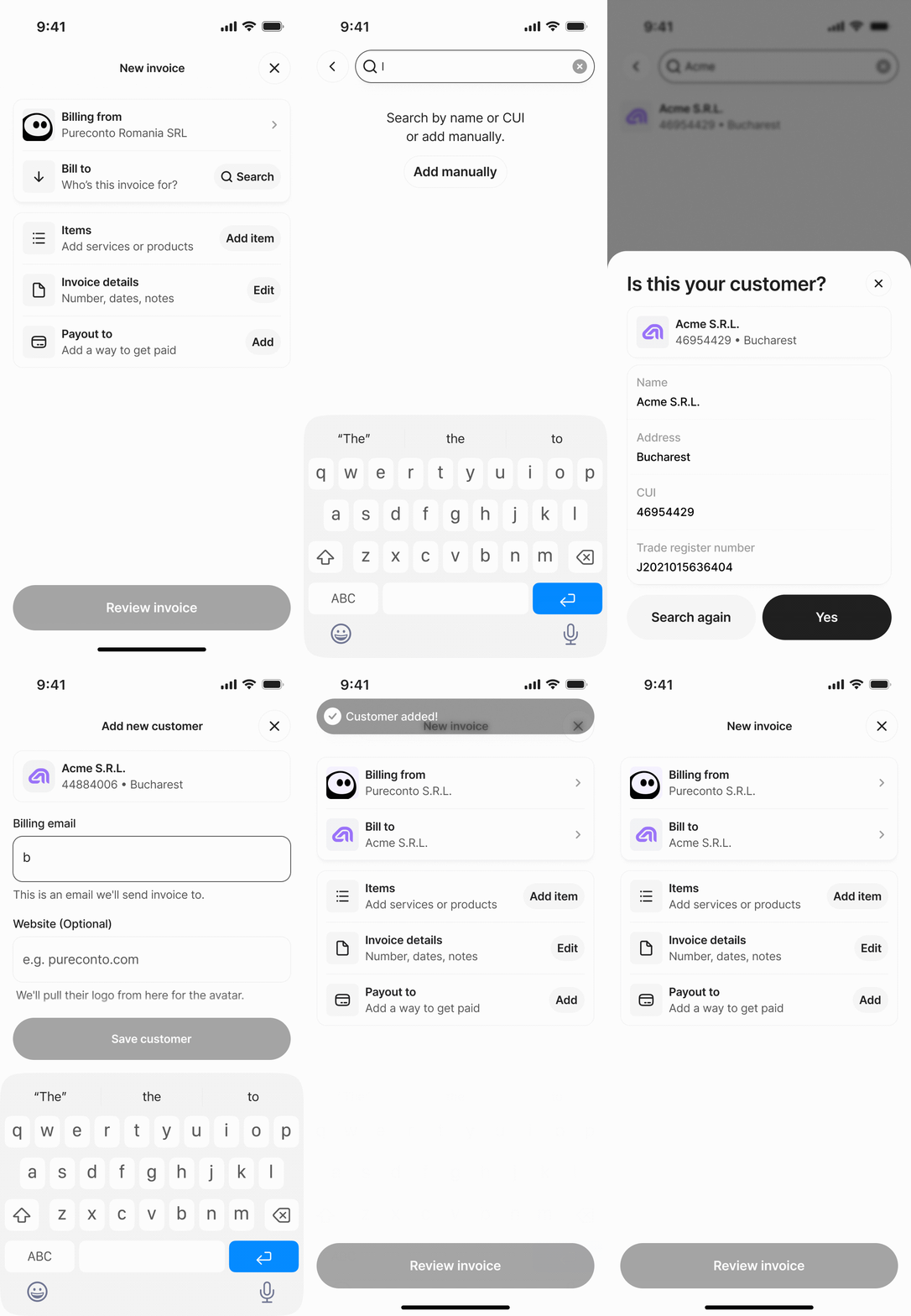
    Add your customers

    Enter your customer’s tax ID (CUI) or business name, and Pureconto automatically fetches their business info.

  3. 03

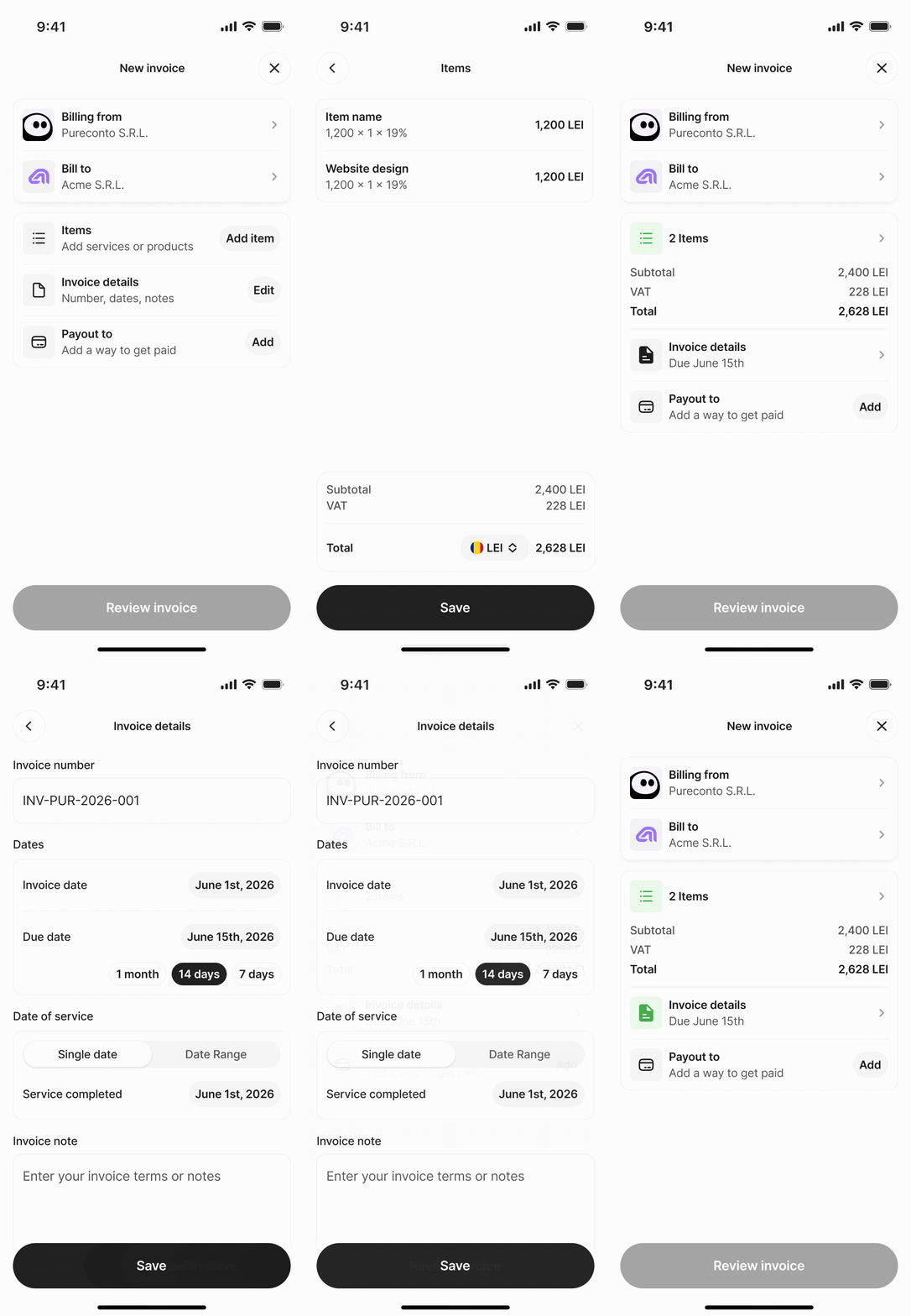
    Add items and invoice details

    Add your items and invoice details to complete your invoice.

  4. 04

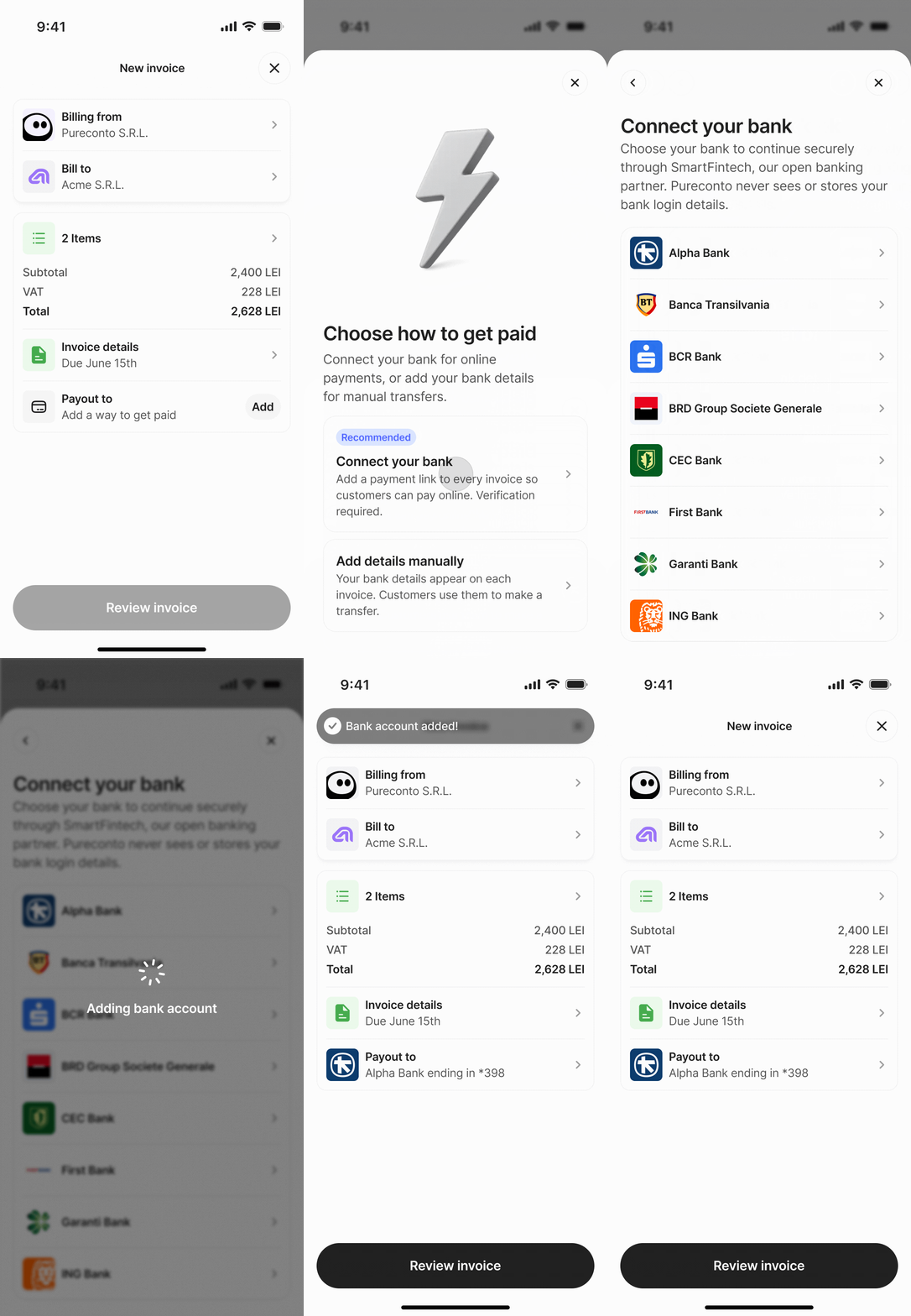
    Connect your bank account

    Connect once so payments land in your account and bank transactions can be matched to invoices.

  5. 05

    Create a Paylink

    Generate a Paylink on your invoice and send it to your customer’s email so they can pay in one click.

    See how Paylinks work

ROMANIAN E-INVOICING

Romanian e-Facturahandled for you

Create invoices as usual. Pureconto generates the XML, submits it through RO e-Factura, and shows the ANAF status in one place. No downloads, uploads, or manual checks.

  • e-FacturaPending verification
  • e-FacturaRejected by ANAFSee why
  • e-FacturaValidated by ANAF
  • e-FacturaErrorSubmit again

SMARTER WORKFLOWS

Spend less time
on admin

Connect your bank account, find customer details in seconds and keep every company organised with the right people involved.

Bank transactions

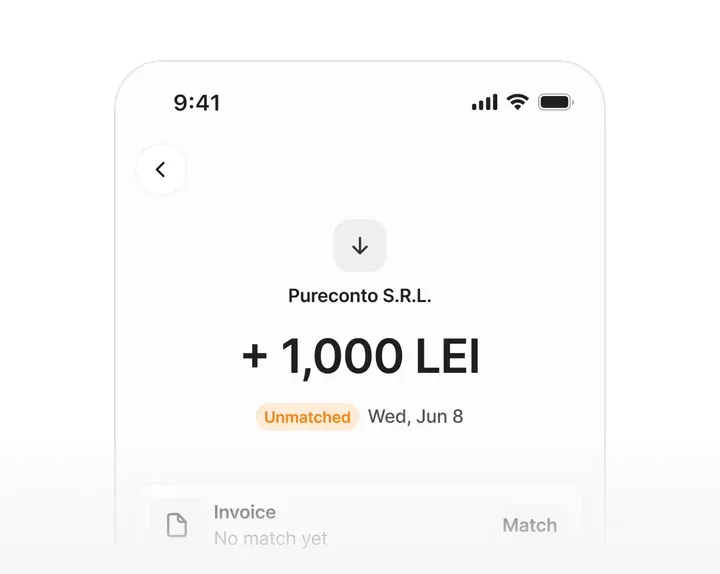
Connect your bank account to bring transactions into Pureconto. Match a payment to its invoice and always know what has been paid.

ONRC lookup

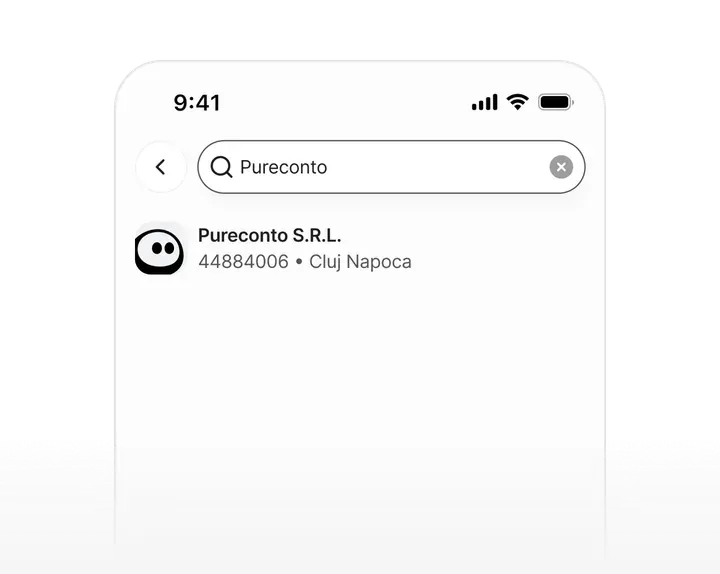
Add customers without typing every detail by hand. Search for your customer through ONRC registry and pull in company information in seconds.

Multiple companies & teams

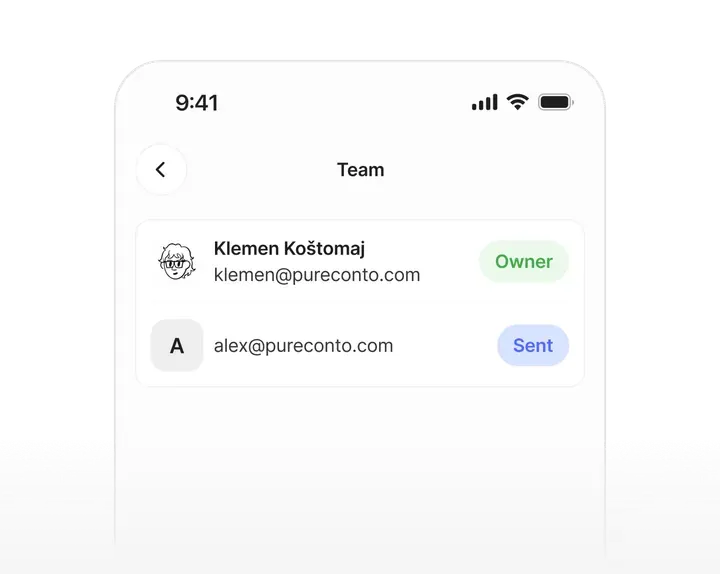
Manage more than one company from one account. Invite teammates to the right company, so everyone can access the invoices they need.

Your questions
Answered

What is Pureconto?

Pureconto is a mobile invoicing platform built for freelancers, contractors, and small businesses across the EU. Create tax-compliant invoices in under 2 minutes, get paid faster with payment links, and automatically recover late payments.

How does Pureconto work?

Getting started is simple in 6 steps: 1. Create a secure account and set up the first invoice 2. Add business profile 3. Add client info & describe services 4. Review branded PDF invoice 5. Send with secure payment link 6. Track status in real-time

Can I customize invoices to match my brand?

Yes. You can customize with your company logo. A polished, branded invoice commands authority and improves payment speed. New invoice templates will be releasing in the future. Pureconto also remembers saved clients and line items, so your second invoice takes just 30 seconds to create.

Are invoices compliant with EU tax standards?

Yes, completely. Every invoice automatically includes all mandatory EU legal fields: - Unique sequential invoice numbers and dates - Full counterparty details with VAT identification - Itemized transaction descriptions - VAT breakdowns and payment instructions Invoices are generated as PDF files, valid for B2B and B2C across the EU.

Do my clients need to create an account?

No. Your client never interacts with our back-end software—they only see a clean, professional invoice with your logo and a secure payment link. Click, pay, done.

Choose which cookie categories we may use.

Cookie policy